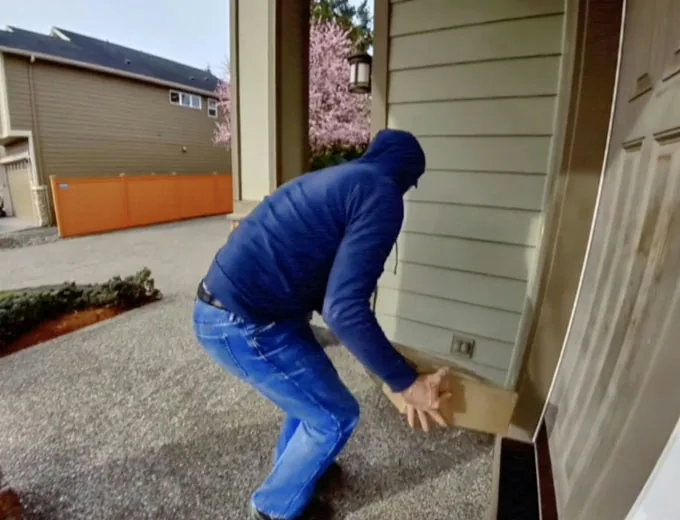
Front door and deliveries
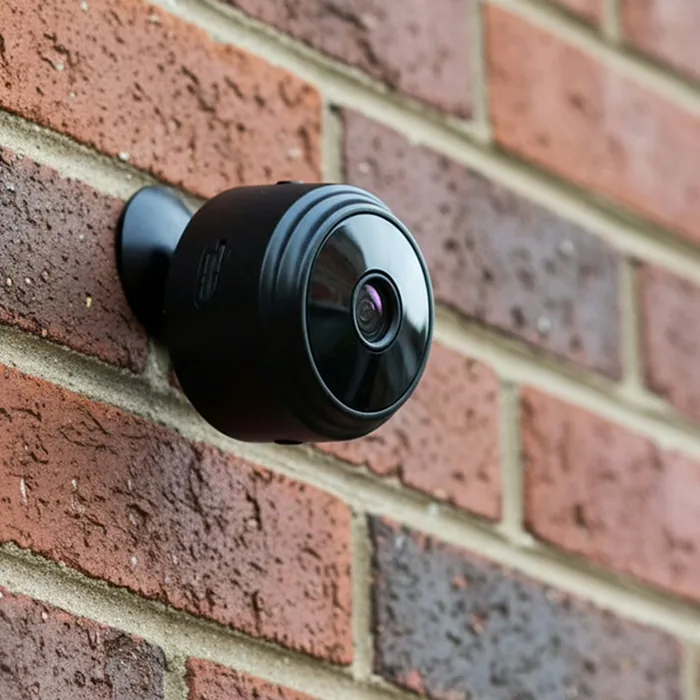
Aim it at the entry or set it behind a window facing the porch to see when a parcel arrives and who picks it up.
 -43%today
1080p Full HD
No subscription
-43%today
1080p Full HD
No subscription
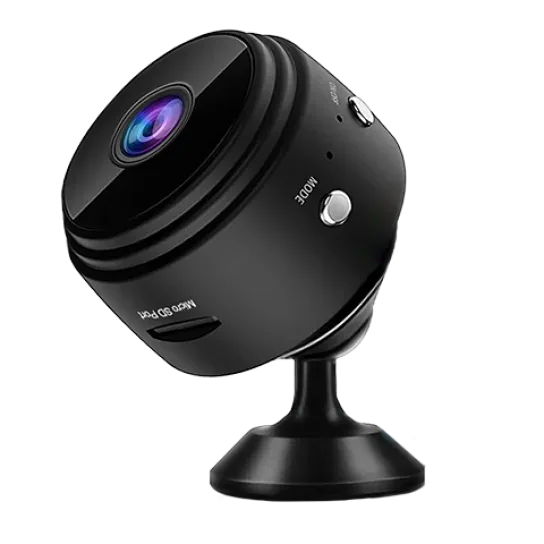
Mini wireless security camera
A camera smaller than your palm that shows you what is happening at home, live on your phone, day or night. Stick it, stand it or carry it: there are no wires to run and no monthly plan to pay.
 4.6 out of 5 average buyer rating, 94% would recommend it
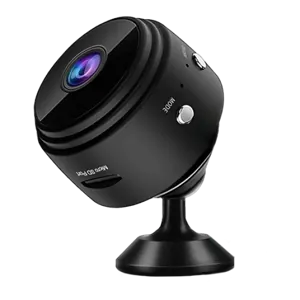
PebblePeek is a mini Wi-Fi security camera about the size of a pebble, built for people who want to check on their home without installing a full surveillance system. It records in 1080p, covers a 120° slice of the room and streams straight to an app on your smartphone.
It runs on a rechargeable battery that lasts up to about a week depending on your settings, or it can stay plugged in around the clock. A magnetic mount and an adhesive mount come with it, so it goes on a fridge, a shelf, a bookcase or a doorframe in seconds and moves with you when you travel.
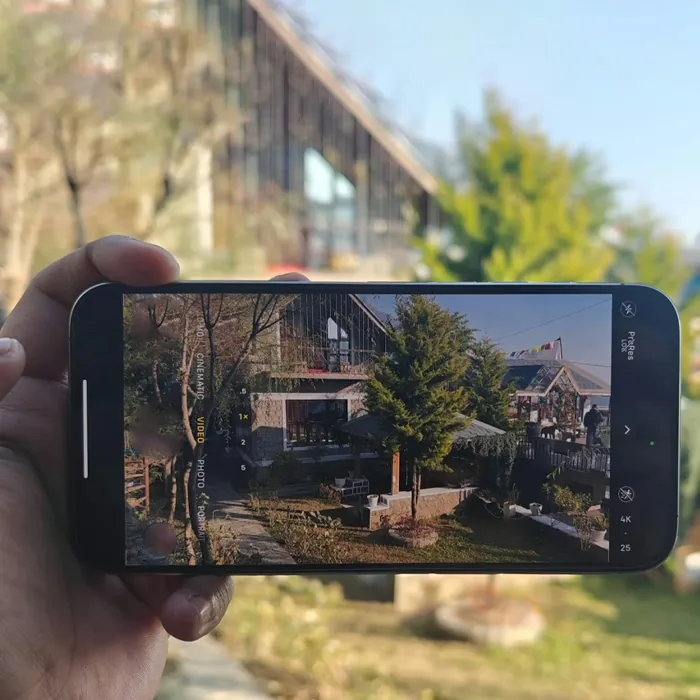
 1080p Full HD
 120° wide angle
 Infrared night vision
 Motion alerts
 Two-way audio
 Phone app
 Magnet or adhesive
 Rechargeable battery
Four parts do the work: an image sensor behind a wide lens, an infrared ring for the dark, a motion trigger, and a Wi-Fi link to your phone.
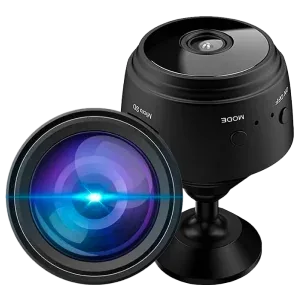
The camera watches for changes in the picture. When something crosses the frame, it starts recording and sends an alert to your phone the moment it detects movement, so you can open the app and see what triggered it.
Small infrared LEDs around the lens light the room with light the human eye cannot see. When the room gets dark, night mode switches on automatically and the camera keeps filming in clear black and white.
Over your home Wi-Fi, the camera streams live video to your phone wherever you are. The same connection carries two-way audio, so you can hear the room and speak through the camera's speaker.
Clips are written to a microSD card inside the camera. Recording to the card keeps going without Wi-Fi, and you can replay the clips later from the app.
No drill, no ladder, no technician. Most people are watching a live picture about two minutes after opening the box.
 Step 1
Snap it onto any metal surface with the magnetic mount, press the adhesive mount onto a wall or frame, or just stand it on a shelf facing the area you want to watch.

 Step 2
Install the app, then scan the QR code to link the camera to your account. It works on any smartphone, and you can add more cameras the same way.
 Step 3
Open the live view whenever you like, get alerts when there is movement, and tap the microphone to talk to whoever is in the room.
What the seller states for this camera. Weight, exact battery capacity and Wi-Fi range are not published, so they are not listed here.
| Type | Mini wireless indoor security camera |
|---|---|
| Video | 1080p Full HD |
| Field of view | 120° wide-angle lens |
| Night vision | Infrared, turns on automatically in low light |
| Motion detection | Starts a recording and sends a phone alert |
| Audio | Two-way: built-in microphone and speaker |
| App | Works with any smartphone, QR-code pairing, several cameras per account |
| Connection | Wi-Fi for live view and alerts |
| Storage | microSD card, records with or without Wi-Fi |
| Power | Rechargeable battery (up to about a week depending on settings) or continuous plug-in power |
| Mounting | Magnetic mount, adhesive mount, or freestanding |
| Placement | Indoors, or outdoors only under shelter from rain and snow |
| Subscription | None required |
Because it needs no wiring and moves in seconds, it fits the spots a fixed system usually misses.
Aim it at the entry or set it behind a window facing the porch to see when a parcel arrives and who picks it up.
Check that the kids got home from school or talk to the dog through the speaker when it starts barking at the mail carrier.

A discreet camera in a shared living area lets family check in on an aging parent with their agreement, without a complicated setup.
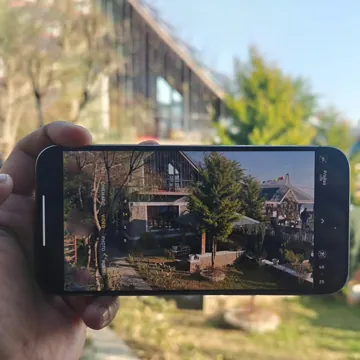
Watch the empty house while you are away, then take the camera along to watch your bags in a hotel room or check on a vacation home.
Each type of camera solves a different problem. Here is where a small battery camera fits.
| Feature | PebblePeek | Video doorbell | Wired CCTV kit | Cheap webcam |
|---|---|---|---|---|
| Small enough to place discreetly |  Yes Yes |  No No | No | Sometimes |
| No monthly subscription | Yes | Often needed | Yes | Yes |
| Set up in minutes, no drilling | Yes | No | No | Yes |
| Motion alerts on your phone | Yes | Yes | Varies | No |
| Infrared night vision | Yes | Yes | Yes | No |
| Runs on its own battery | Yes | Some models | No | No |
| Easy to move or take traveling | Yes | No | No | Needs a computer |
A wired CCTV kit still makes sense if you want to cover a whole property outdoors around the clock. PebblePeek is the simpler pick for one room, one entry or one trip at a time.
The three settings that matter most day to day are when the camera sees, when it records and how it gets its power. All three work automatically once the camera is paired, and you can adjust the details in the app.
Battery life depends mostly on how often the camera wakes up. A quiet hallway with a few alerts a day stretches a charge toward the full week, while a busy kitchen with constant movement uses it faster. Where the camera watches a high-traffic spot, the simplest fix is to leave it plugged in.
One handy side effect: when it is plugged in, the battery acts as a backup, so the camera keeps recording through a power cut. Live view and alerts also need your router to stay on.
After dark
When the light drops, the camera switches to infrared by itself. It sees in complete darkness, with the picture in black and white.
Movement
Any movement in the frame starts a clip on the microSD card and pushes a notification to your phone right away, so you can tap through to the live view.
Power
Run it cable-free for up to about a week per charge, or keep it connected to power for continuous use.
Knowing the limits up front helps you put it where it will actually help.
What buyers say after living with the camera for a while, minor gripes included.
 Anna R.Austin, TX, August 2026
 I know when my son gets home
I work late two nights a week and my 13-year-old lets himself in after school. I stuck the camera on the side of the fridge with the magnet, pointed at the back door, and now my phone buzzes when he walks in. Pairing took less time than finding the charger. The night picture is black and white but I can tell exactly who is who.Verified buyer
 Glen T.Tucson, AZ, June 2026
Easy enough for a retiree
Glen T.Tucson, AZ, June 2026
Easy enough for a retiree
My wife and I spend the summer at our daughter's in Oregon, so we bought the two-pack for the house. One watches the front room, the other the garage. I'm not a gadget person and still had both running before lunch. The garage one went about a week before it asked for a charge, so that one just stays plugged in now.Verified buyer
 Ruth P.Raleigh, NC, September 2026
 Good porch watcher from inside
It isn't meant for rain, so it sits on my front windowsill looking at the steps. Daytime clips are sharp: I watched the driver drop my box and, an hour later, my neighbor carry it to her porch out of the sun. At night the glass reflects the infrared, so I mostly use the daytime clips. One star off because the app has a lot of menus at first.Verified buyer
Current US prices from the seller's promotion. Each extra camera lowers the unit price, from 43% off for one camera up to 51% off in the three-pack.
1 camera

$67.99
Total $67.99
$119.28-43%
2 cameras
$61.99 each
Total $123.98
$238.56-48%
3 cameras
$57.99 each
Total $173.97
$357.84-51%

If the camera does not suit you, the seller refunds your purchase within 30 days. Send it back through the contact details in your order confirmation and you get your money back.
Short answers to what people usually ask before they order.
No. You pay once and every feature works with no monthly fee: live view, motion alerts, two-way audio and playback of the clips saved on the microSD card.
Partly. With a microSD card inserted, it keeps recording without any internet connection. Watching live from your phone and receiving motion alerts both need the camera to be on Wi-Fi.
Up to about a week, depending on your settings and how much movement the camera sees. If you want it running nonstop, keep it plugged in and the battery becomes a backup during power cuts.
Yes. As long as the camera is online, open the app on your phone to see the live picture from anywhere, check recent alerts and replay recorded clips.
Yes. Infrared night vision turns on automatically in low light, so the camera keeps filming in black and white even with every light off.
It is designed for indoor use. Outdoors, only place it somewhere covered, such as under a porch roof, where rain and snow cannot reach it.
On a microSD card inside the camera. You can browse and play those clips through the app whenever you need them.
Only the people logged in to your app account. The video is not public, and you choose who gets access.
Yes. Add as many cameras as you like to the same account and switch between them in the app. That is why the two-camera and three-camera packs are popular for covering more than one room.
See what happens at home, even when you are not there.
Mount it in two minutes, get an alert when something moves, and keep watching after dark. No subscription and no wiring.